/ Products · Chrome extension
Jira's own shortcuts stop one click too soon. You can create, assign, comment, jump issues — then the next motion in the same breath dumps you back on the mouse.
Press Cmd+K. Type the verb. The current issue, board card, or page is already in context. We do not replace Jira's ? dialog or Atlassian's search.
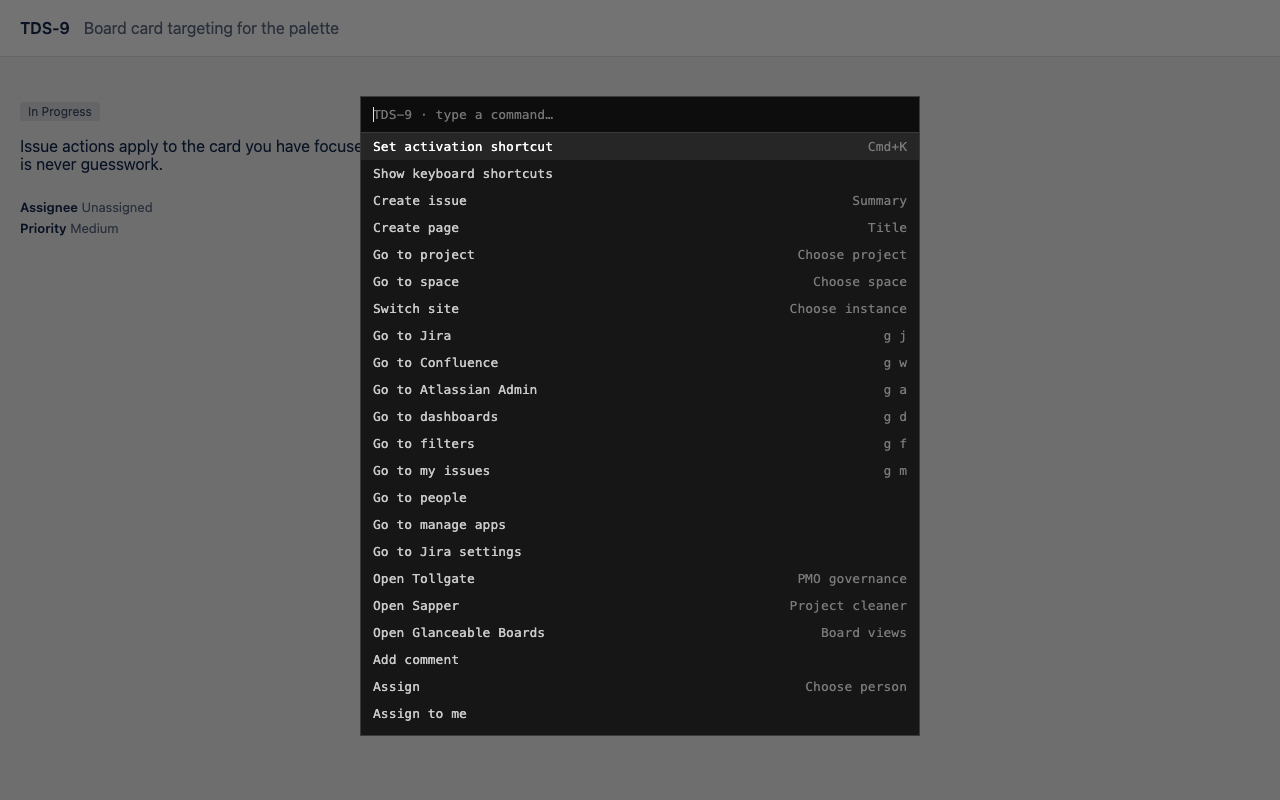
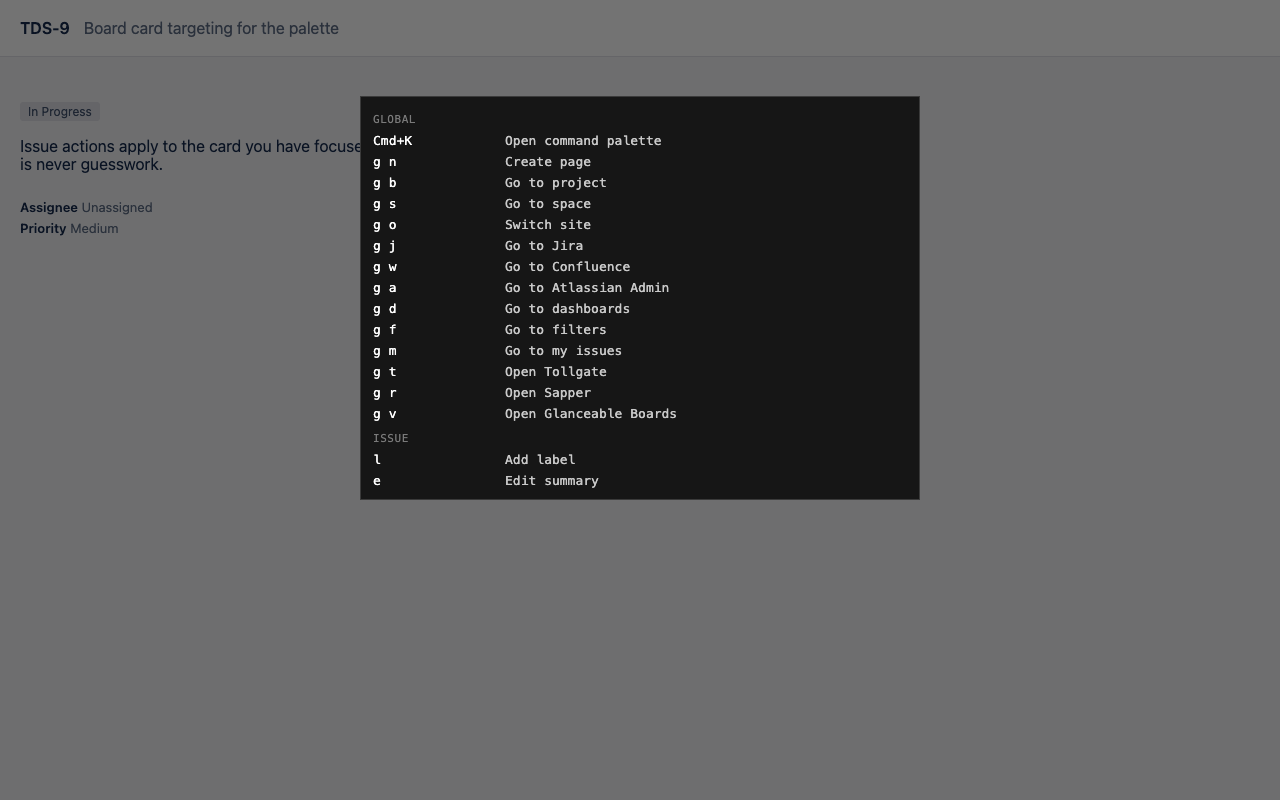
Change priority, add a label, edit the summary, copy the key — from the keyboard.
Act on the board card you are looking at, named in the prompt so you never hit the wrong ticket.
Jump project, space, Jira, Confluence, Admin, and Softwired apps from the same palette.
Create in the right project or space — your destinations, not Jira's last guess.
Step the workflow from the keyboard, in status-category order.
Rebind Cmd+K if you want Atlassian's search palette back.
No sign-in. Your existing Atlassian session is enough.
Forge apps render in a sandbox. They cannot capture keystrokes on Jira's own pages, so a global palette is impossible as a Marketplace app. This is a Chrome extension.
c, a, j, k and the rest keep Atlassian's meaning. Press / as the first key in our palette to hand off to their search.
Content scripts run on your Atlassian site. No Softwired account. Nothing is sent to our servers. Preferences stay in localStorage on that site.
Free. The zip is the product.
Published by Softwired Digital Pty Ltd, Brisbane.